A fiber ONT needs local power, but an ONT battery marketed for phone service may not power home internet, Wi-Fi or cordless phones. Map every powered box from the fiber entry to your device, confirm which outputs the provider backs up, then size a maker-approved backup for the complete permitted path. A charged ONT cannot fix a failed upstream provider network.
Alerts, check-ins, and offline fallbacks
Keep in touch when internet or cell service is unreliable.
Start with the people, message, meeting place, and check-in time. Then give paper, official alerts, phones, radio, home internet, and optional satellite equipment one clear job each, with a next step when that channel fails.
Is this the right starting point for you?
- Who this is for
- Households that may be separated by work, school, care, travel, evacuation, or an outage and need a plan that still works when ordinary accounts or networks are unavailable.
- First decision
- Who must check in, what short message should they send, and what does each person do when the first communication channel fails?
- People and messages before devices
- Independent communication paths
- Offline contacts and power fallbacks
Choose what applies
If the broad starting guide is more than you need, choose the question that fits your next decision.
-
If internet access may be unavailable.
No-Internet Emergency Communication Stack -
If essential communication devices need backup power.
Backup Power for Phones, Internet, and Work Electronics -
If you are assessing whether satellite service closes a specific gap.
Portable Satellite Internet for Emergencies: A Decision Guide
18 additional planning guides
More Communications guides
Check the updated date, sources, assumptions, and safety limits inside each guide before acting.
Decide whether a leak alert, automatic valve or manual shutoff plan fits an unoccupied home without confusing notifications with verified water isolation.
A hub can pair a sensor locally but still run some automation rules in the cloud. Before buying, list the exact devices and trigger/action rules, check controller and radio compatibility, ask where rules execute, and test a noncritical automation with only internet disconnected. Keep manual controls and an update/restore plan.
Understand which smart-home logos describe control standards versus radio networks, and test a real household's local/offline behavior before buying.
More guides in this topic
14 more household decisions
- Wi-Fi Extender vs. Mesh vs. Access Point: Choose the Right Path
Choose whether to extend a single weak Wi-Fi area with a wireless repeater, use a coordinated mesh, or connect a wired access point based on the room, existing network, and available Ethernet.
- How Many Phone Charges Can a Power Bank Provide?
Estimate how many phone recharges a household power bank may provide from labeled energy and the exact phone battery rating without confusing mAh values measured at different voltages.
- USB-C PD Charger and Cable Compatibility: What to Check
Determine whether a USB-C device, USB Power Delivery charger, and cable can negotiate a useful charging rate by comparing their exact specifications.
- Set Up a 2.4 GHz Smart-Home Device on a Combined Wi-Fi Network
Determine whether a smart device needs 2.4 GHz during onboarding and follow a reversible, model-specific setup path on a combined-band Wi-Fi network.
- Set Up and Safely Demo iPhone Emergency SOS via Satellite
Check exact iPhone and region eligibility, prepare emergency information, and practice Apple's Emergency SOS satellite demo without calling responders.
- Smart Lock Dead-Battery Plan: Keep a Model-Specific Way Inside
Write down and safely verify the exact smart lock's warning, dead-battery entry method, required backup item, and household fallback.
- Smart Plug Power Ratings: Check Watts, Amps, and the Appliance
Decide whether an exact smart plug and appliance are a permitted combination by checking load type, electrical limits, environment, and behavior after power or network loss.
- Where to Place and How to Test Home Water Leak Sensors
Create a room-by-room leak sensor map and verify the actual alarm, app, and optional shutoff behavior using the manufacturer's safe test instructions.
- Keep a Home NAS Safe Through a Power Cut: UPS Shutdown Checklist
Verify that a home NAS can receive a compatible UPS signal, shut down and recover according to its manual, while maintaining a separate file backup
- Power Banks on Planes: Check the Wh Label and Pack It Safely
Determine whether a spare lithium-ion power bank meets current U.S. FAA carry-on rules and prepare it for travel under the airline's current restrictions
- Internet Still Down After the Power Returns? Check the Connection in Order
Locate the post-outage failure across power, modem or ONT, router, mesh, provider, and individual device without erasing working network settings
- Smart-Home Device Support Audit: Know What Happens When Updates End
Inventory smart-home devices and document manufacturer update support, app and cloud dependencies, fallback controls, and the next review action
- Which Smart-Home Devices Work Without Internet? Make a Local-Control Map
Record which household smart-home functions require internet, local Wi-Fi, a hub, vendor service, or an onsite control, then test safe fallbacks
- Remote Work Emergency Plan for Power and Internet Outages
Create a practical remote-work continuity plan for power loss, internet failure, data access, team communication, safe shutdown, and relocation
Equipment research
Use these guides after you know the household requirement. Specifications, prices, and availability change, so verify dated details with the manufacturer or seller before buying.
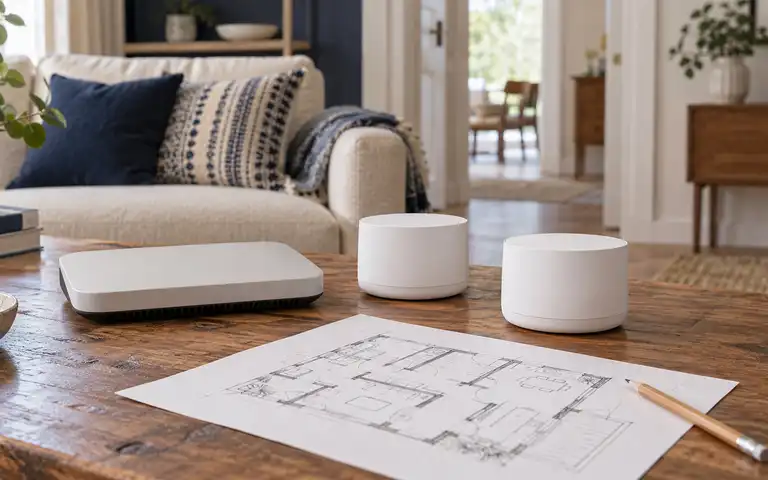
Choose and place a mesh Wi-Fi system by floor plan, wall materials, wired backhaul, security support, outage power, and a repeatable home survey.
Plan first. Buy what is missing.
Keep routers, sensors, and communication gear powered
Check how long your modem, router, and charging setup must run during an outage. These documented 1 kWh power stations include 10 ms UPS switching specs; compare their limits before checking a seller.
EcoFlow
DELTA 3
- Nominal capacity
- 1,024 Wh Manufacturer source for Nominal capacity (checked 2026-10-04; opens in a new tab)
When to consider another option Loads requiring 240 V or more than the continuous output rating.
Read the fit and limitationsAnker SOLIX
C1000 Gen 2
- Nominal capacity
- 1,024 Wh Manufacturer source for Nominal capacity (checked 2026-10-22; opens in a new tab)
When to consider another option 240 V loads, needs above the 2,000 W rated AC output, or a plan that depends on additional battery capacity.
Read the fit and limitationsBefore you begin
What is the most reliable emergency communication method?
There is no universally reliable method. Use multiple paths such as local alerts, radio, text, an out-of-area contact, written meeting points, and power reserves based on local risks.
How do you communicate when cell towers fail or become congested?
If a voice call is not going through, a text may get through sooner, but delivery is not guaranteed. Set up a group text and an out-of-town contact in your plan, and keep another way to receive local alerts. Read emergency communication plan.
Will home internet work during a power outage?
Battery power may keep your local equipment on, but the provider's upstream network can still fail. Test modem, router, and mesh power needs and keep non-internet fallbacks.
How long will a UPS battery backup keep home Wi-Fi running?
A UPS's VA rating does not establish runtime. Check the manufacturer's runtime chart for your combined equipment load and test the modem, router, and any ONT together; the provider's upstream service may also fail. Read backup power for home electronics.
What radio frequency should you monitor during a natural disaster?
NOAA Weather Radio uses seven VHF frequencies, but the station you can receive depends on your location. Use the National Weather Service station and coverage information for your area, then program the matching SAME code if your receiver supports it. Read emergency communication plan.
Should emergency information be stored offline?
Yes. Keep essential contacts, medication details, meeting points, maps, and instructions in a form the household can reach without a cloud account or network connection.
Keep your plan current
Small updates. A more prepared home.
Get occasional guide updates, practical worksheets, and seasonal household checks.