In this guideJump to a section
- The stack at a glance
- Layer 1: a useful paper plan
- Layer 2: preserve the phone for short check-ins
- Layer 3: receive official information without home internet
- Layer 4: use local radios for a defined route
- Layer 5: add satellite only when it closes a real gap
- Keep the stack powered
- Run a no-internet drill
- Primary sources
INFO
Test three failures in order: remove home internet, then assume cellular data is congested, then protect the last phone battery for urgent use. After each failure, every participant should be able to name the next channel, message, contact, and check-in time without opening an account or buying a device.
Home internet can fail while cellular service still works. Cellular data can slow while text messages still get through. A neighborhood can have power while the provider’s upstream equipment is damaged. Planning around those different failure modes is more useful than assuming either “online” or “offline.”
Start with the full emergency communication plan. This guide focuses on what remains usable when the household’s normal internet connection is gone.
The stack at a glance
| Layer | Job | What can break it | Preparation |
|---|---|---|---|
| Printed plan | Contacts, meeting places, and instructions | Stale copies or inaccessible storage | Keep a current copy in the home, wallet, and relevant go-kit |
| SMS or voice | First check-in and urgent status | No coverage, congestion, dead phone, or damaged tower | Use a short format and preserve battery |
| Out-of-area relay | Connect separated household members | Contact unavailable or missing details | Ask permission and give everyone the same number |
| Official alerts | Warnings and protective instructions | Disabled settings, coverage gap, or receiver failure | Check WEA, local alerts, and NOAA radio reception |
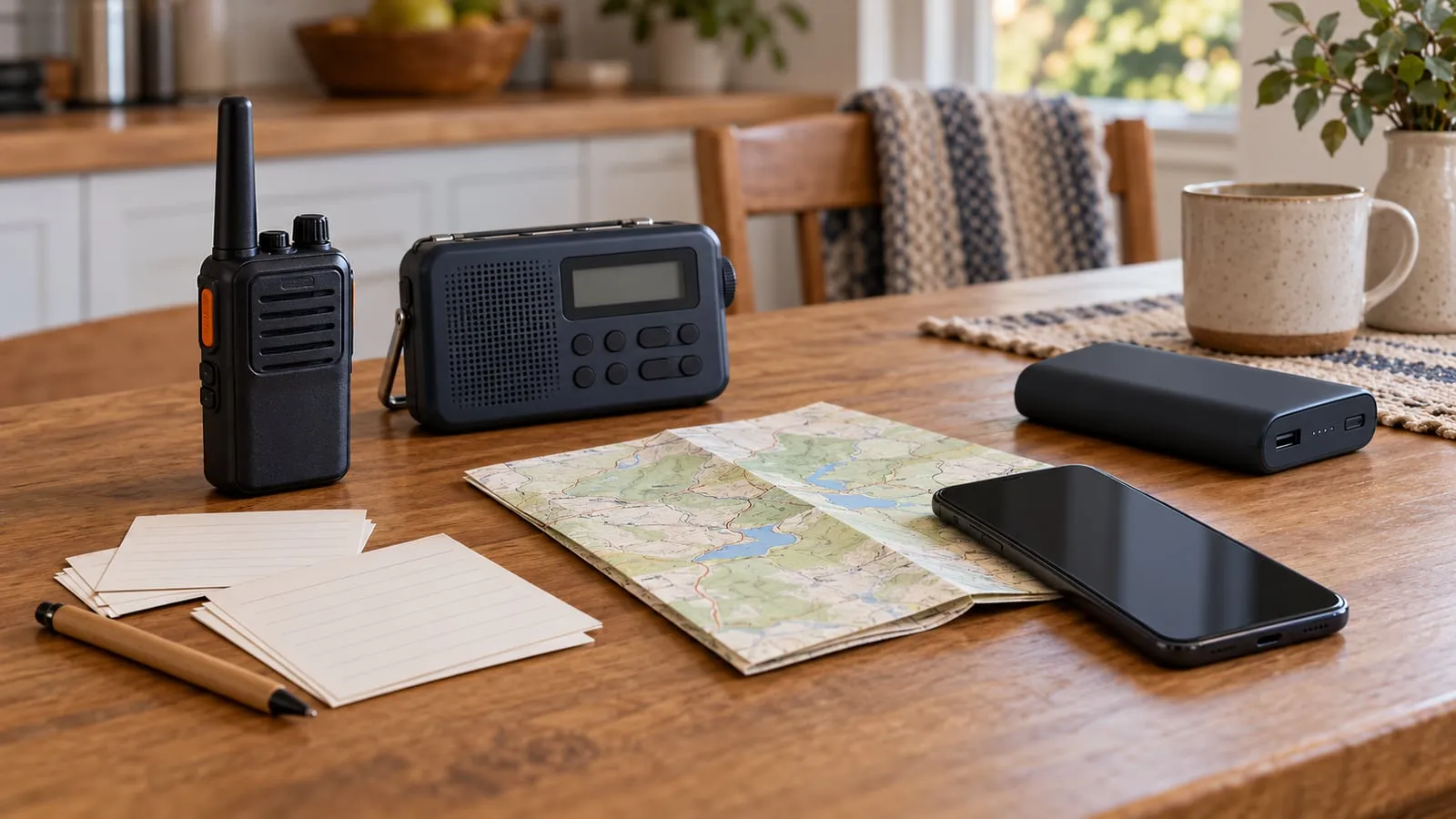
| Local two-way radio | Nearby coordination | Terrain, buildings, incompatible settings, or depleted batteries | Agree on channels and test the real route |
| Satellite | Additional messaging or data path | Poor sky view, inactive plan, power loss, or setup failure | Confirm current service and practice the exact device |
The stack is complete when each household member knows the next action after a layer fails. Owning every category is not required.
Layer 1: a useful paper plan
Print only the information someone needs to act:
- Household and out-of-area contact numbers
- Near-home and out-of-neighborhood meeting places
- School, work, and care-location procedures
- Local emergency-management and utility contact details
- Communication or mobility accommodations
- A brief check-in format and expected update times
Keep the carried card to what the household needs for contact and meeting decisions. Do not put account passwords or unnecessary sensitive medical, identity, or insurance details on a card carried in public. Store more sensitive records separately under the relevant provider, employer, and care-provider privacy rules.
Review the card when a phone number, school, workplace, caregiver, or meeting place changes. A laminated card is durable only if its information is current.
Layer 2: preserve the phone for short check-ins
Agree on one message pattern:
name | status | location | next action | next update
Turn down unnecessary screen brightness, stop nonessential background activity, and use airplane mode when no connection is available and the phone is not needed for incoming alerts. Restore the relevant radios when checking service or expecting warnings. Device menus differ, so practice the exact controls.
Keep charging cables labeled and compatible with the phones in the household. One working cable for each connector type is more useful than a bag of unknown cables.
If a supported iPhone may be part of the household’s emergency fallback, check its model and region eligibility and practice only Apple’s built-in satellite demo using the iPhone Emergency SOS via satellite setup guide. A demo is not a guarantee of service or a substitute for the communication layers above.
Layer 3: receive official information without home internet
Wireless Emergency Alerts can reach compatible mobile devices through participating carriers. Review current behavior and device-capability limits in the National Weather Service WEA guide. Also enroll in the correct city, county, Tribal, or state alert system if one is available.
A battery-capable NOAA Weather Radio can provide a separate broadcast path. The National Weather Service describes NOAA Weather Radio All Hazards as a network carrying official weather warnings, watches, forecasts, and other hazard information. Find the local transmitter, confirm reception inside the home, program alert features according to the receiver manual, and keep the required batteries.
Radio and alert systems can also experience outages. Use more than one official source when conditions allow, and follow local authorities for evacuation or shelter instructions.
Layer 4: use local radios for a defined route
Two-way radios are most useful when people are relatively close and agree on how and when to listen. Test from the basement, street, school pickup point, nearby relative’s home, or other actual route. A package’s maximum-range number does not describe that environment.
Write down:
- Primary and fallback channels
- Plain-language household call names
- Scheduled listening times
- A short message format
- Where spare batteries or chargers are kept
- What to do when no reply is received
In the United States, FRS and GMRS have different rules and equipment limits. Use current 47 CFR Part 95 and the exact radio’s certification and instructions to check current requirements. Assume ordinary transmissions can be overheard, record the date the rules were checked, and never use a radio plan to delay calling emergency services when a working path is available.
Layer 5: add satellite only when it closes a real gap
Satellite messengers and satellite internet terminals solve different jobs. A messenger may suit brief status or location messages. A broadband terminal may support maps, work, and several devices, but usually adds more power, placement, account, and setup requirements.
Before relying on either category, verify the exact product’s current:
- Coverage and service-plan terms
- Activation and account-recovery process
- Emergency or messaging features
- Sky-view and placement requirements
- Power input, battery behavior, and operating limits
- Update and test procedure
Read the current manufacturer manual and support information, then use the satellite internet decision guide to compare the category without a timeless product ranking. A satellite layer does not replace 911, local alerts, or an evacuation order.
Keep the stack powered
List the devices required for one check-in cycle, not every electronic item in the home. Record label or measured watts, hours of use, and charging method.
watts x hours = watt-hours
Add all device energy, then compare it with the battery’s stated usable capacity and limits. Conversion losses, standby draw, temperature, battery age, and weak signal conditions can reduce runtime. The Battery Runtime Calculator provides a planning estimate without claiming compatibility or guaranteed duration.
The electronics backup power guide explains how to separate phone, network, and work loads so a nonessential device does not consume the communication reserve.
Follow product manuals and recall notices. Do not use a swollen, damaged, wet, recalled, or unusually hot battery. Keep charging equipment ventilated as directed, away from exits and combustible clutter.
Run a no-internet drill
Choose a normal day. Tell participants it is a drill, and do not disable a life-safety device or employer security control.
- Disconnect household devices from Wi-Fi without shutting down essential services.
- Find the printed contacts and meeting places.
- Send the short check-in message.
- Tune the weather receiver and identify the official local source.
- Try the agreed radio route, if radios are part of the plan.
- Power the essential communication load from its backup.
- Locate offline maps and account-recovery information.
- State the next action if cellular service also fails.
Time is less important than clarity. Note any dead battery, outdated number, confusing instruction, inaccessible control, or equipment that only one person can operate. Fix one issue and repeat the drill.
No-internet communication FAQ
- Can text messages work when mobile data does not?
- Sometimes, because services and network conditions differ, but delivery is not guaranteed. Keep messages short and maintain paper, meeting-place, alert, and radio or satellite fallbacks that fit the household.
- Does a weather radio need internet service?
- No. A compatible receiver gets NOAA Weather Radio broadcasts directly. It still needs local reception and power, and transmitters can have outages, so verify the local station and keep another official alert path.
- How much backup battery is needed for communication?
- Measure or look up the watts for the exact phone chargers, modem, router, radio, or satellite equipment, multiply by intended hours, and account for usable capacity and losses. Avoid a universal battery-size promise.
- Are local two-way radios private?
- Ordinary consumer radio transmissions may be heard by others. Use plain but non-sensitive messages, follow the current rules for the radio service and the exact device, and reserve private details for an appropriate communication path.