In this guideJump to a section
- Check current official outlooks
- Refresh alerts and communication
- Inspect the home from the outside in
- Review shelter and evacuation decisions
- Refresh the kit instead of buying a new one
- Test backup power safely
- Review documents and coverage
- Finish with a short household drill
- Check the plan after every significant alert
- Questions about the seasonal reset
Spring is a useful time to reset household readiness before several regional hazard seasons overlap. It is not a forecast. Current risk comes from official local alerts and the latest outlooks, not a date or claim preserved in an article.
This is a seasonal reset, not a guide to every hazard. Use it to refresh the parts shared across spring and summer events—alerts, routes, drainage, supplies, documents, and backup power—then follow the current local guidance for the hazards at the address.
Check current official outlooks
- For Atlantic and eastern Pacific tropical weather, use the National Hurricane Center.
- For severe thunderstorms and tornado outlooks, use the NOAA Storm Prediction Center.
- For wildfire conditions, use local fire agencies and the National Interagency Coordination Center.
- For local warnings, use the National Weather Service and local emergency management.
Outlooks describe regional conditions, not the safety of one address. Do not convert a seasonal probability into a promise that a storm will or will not affect the household.
Refresh alerts and communication
- Confirm Wireless Emergency Alerts are enabled where appropriate.
- Subscribe to local emergency management, utility, and fire alerts.
- Update the out-of-area contact and household meeting points.
- Put contacts and essential instructions on paper.
- Confirm how school, work, care, and building management send urgent messages.
Use the Emergency Communication Plan for the full phone, radio, and paper structure.
Inspect the home from the outside in
Complete only tasks that can be done safely and within local rules.
- Clear gutters and drainage paths that can be reached safely.
- Look for roof, siding, window, tree, or fence damage that needs a qualified service.
- Test the sump pump and approved backup according to the manual.
- Move combustible items away from the home where wildfire guidance requires it.
- Check smoke and carbon monoxide alarms.
- Learn the water, gas, and electrical shutoff locations without attempting unsafe work.
If there is a gas odor or hissing, leave immediately rather than approaching a shutoff; call 911 or the gas utility from a safe location using the gas-leak response guide. If a storm brings down a line, treat it as energized and follow the downed power-line response from a safe distance.
Once everyone is inside during a thunderstorm, use the indoor lightning pause plan to decide which plumbing and corded electrical tasks can wait and when to resume them.
The Home Improvement Preparedness Guide covers how to prioritize professional assessments and low-risk maintenance.
Review shelter and evacuation decisions
For tornadoes, identify the local recommended shelter location, usually a small interior room on the lowest level away from windows. For hurricanes, know the evacuation zone and several routes. For wildfire, plan to leave promptly when officials direct it.
Households that need accessible transport, powered medical equipment, caregiver support, pet transport, or extra loading time should plan earlier decision points. Review the Senior Emergency Preparedness Guide and Wildfire Home Preparedness Guide.
Refresh the kit instead of buying a new one
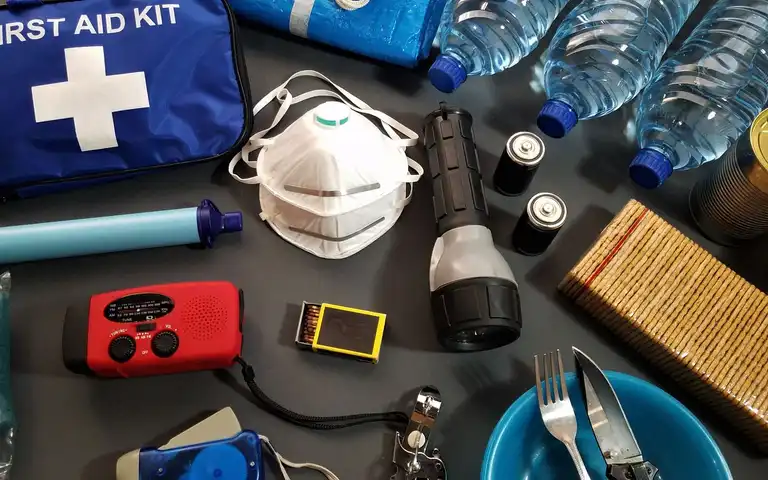
Check water containers, familiar food, medication information, light, batteries, power banks, radio, sanitation supplies, pet items, clothing, and the document folder. Replace expired or damaged items and rotate ordinary pantry food. If a rechargeable battery or power bank is unusually hot, swollen, leaking, or noisy, stop using it and follow the damaged rechargeable-battery guide rather than adding it to the kit.
Use Build a Home Emergency Kit to work through household-specific water, food, medication, lighting, and communication needs.
Test backup power safely
Record essential loads and review equipment manuals. Test batteries and power stations within their instructions. If a portable generator is part of the plan, the CDC generator safety guidance says to operate it outdoors and more than 20 feet from windows, doors, and vents, with working battery-powered or battery-backup CO alarms.
Use the Outage Readiness Planner to review its fixed outage choices and suggested actions. Keep household-specific gaps in a private paper plan, then read the backup power systems guide before comparing equipment. Qualified professionals and local code determine household connections and permanent work.
Review documents and coverage
Photograph rooms and important property from a safe location, update contact information, and store copies in more than one protected place. Ask the insurer or licensed agent about the household’s actual policy, deductibles, exclusions, inventories, and any waiting periods. Do not rely on a generic article to interpret coverage.
Finish with a short household drill
Find the kit and lights, send the check-in message, walk the shelter or exit route, locate the document folder, and name the conditions that mean leave. Keep the drill short and safe. Record one or two gaps to fix before the next local season.
Check the plan after every significant alert
After conditions are safe, note what changed faster than expected, which alert reached the household first, whether the shelter or route remained usable, and which supply or contact was difficult to find. Correct those specific gaps while the experience is fresh. Report damaged utilities, unsafe trees, structural concerns, and other hazards through the appropriate local or qualified service rather than attempting work beyond the household’s skills.
Questions about the seasonal reset
Is this page a current storm forecast?
No. Open the linked NOAA, NWS, NHC, SPC, NIFC, state, and local sources for current outlooks and alerts. Seasonal information changes and cannot be kept current by an evergreen checklist alone.
Which spring task matters most?
Start with unresolved life-safety or damage issues, then alerts, evacuation, medication, and household care needs. The most important maintenance task depends on the property’s real hazard and condition.
Should I download an AI weather app?
Use official warnings and local emergency instructions as the decision source. A third-party forecast or AI feature may be a convenience, but it should not replace NWS alerts, evacuation orders, or local fire information.
Keep the one or two gaps found during the drill, their owners, and review dates on a private paper list. Use My Household Plan to review its fixed checklist steps you have completed.